1
Remove previous Office installations first
Uninstall every existing Microsoft Office installation from your computer.
!
After uninstalling, restart your computer before running the new Office installer.
Download Office
2
Sign in at Office.com
Sign in at office.com with the email and temporary password from your private order page. Change the password when prompted.
Open Office.com
3
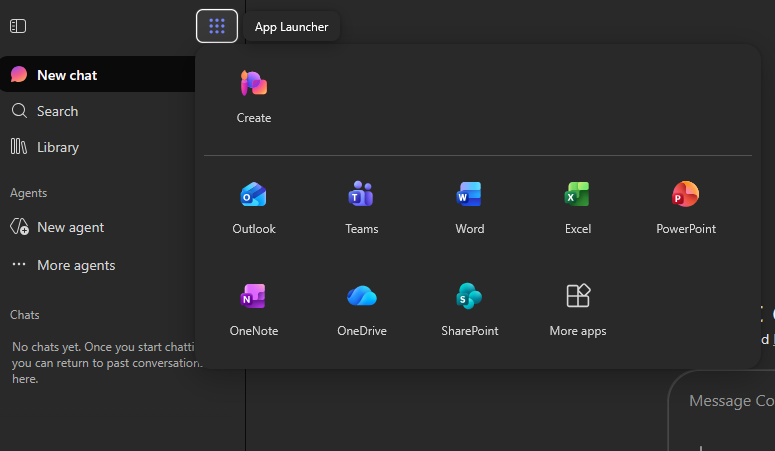
Open the App Launcher
Click the nine-dot App Launcher button at the top left, then click More apps.
 1
2
1
2
4
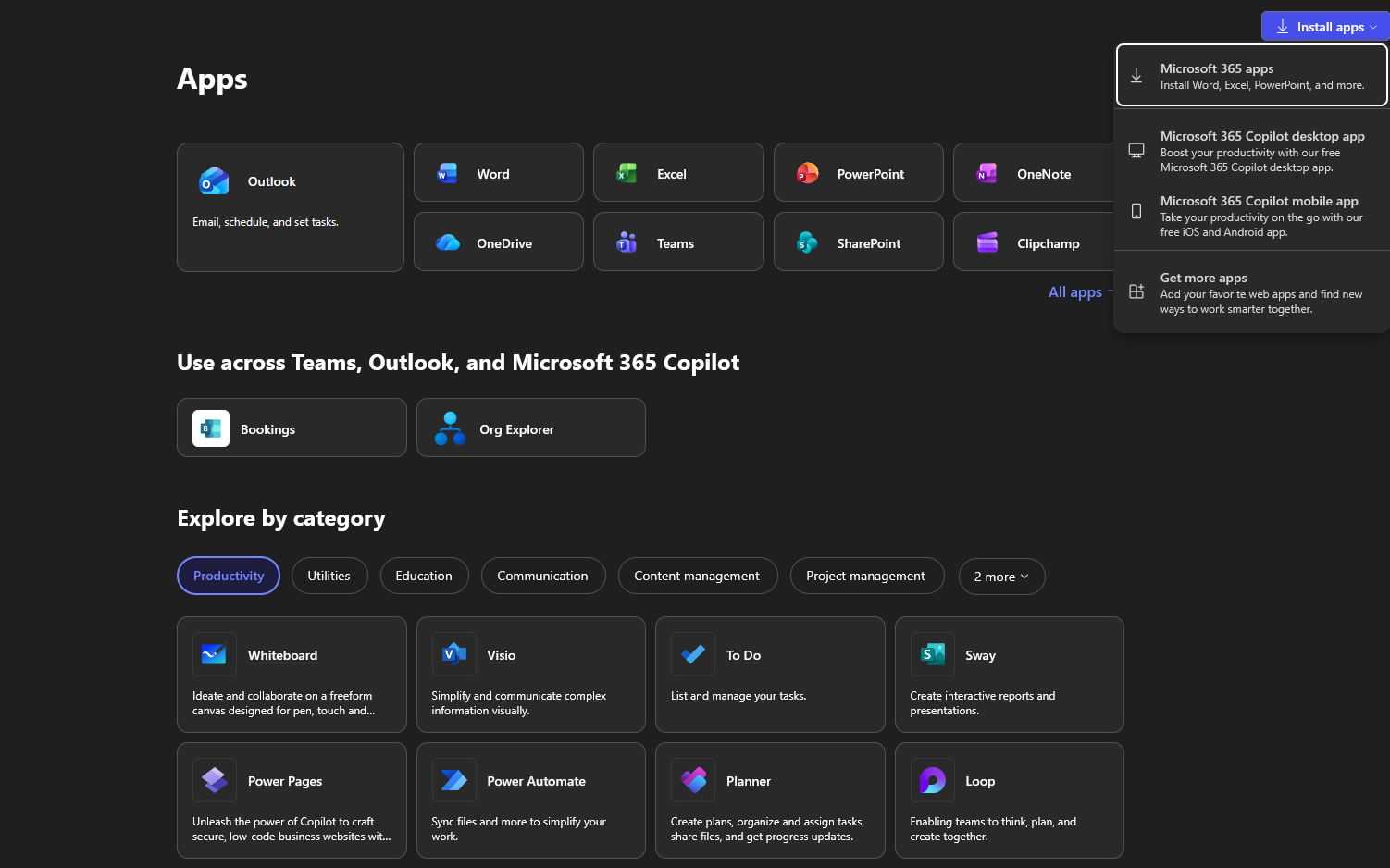
Choose Microsoft 365 apps
Click Install apps at the top right, then select Microsoft 365 apps.
 1
2
1
2
5
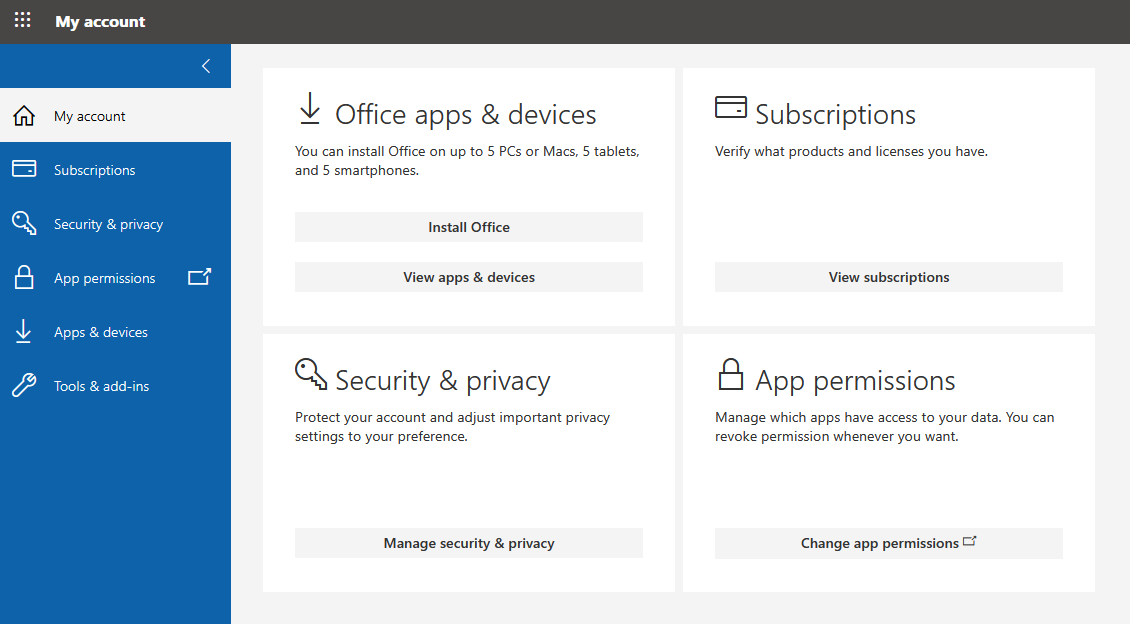
Download the Office installer
Click Install Office under Office apps & devices. Run the downloaded file and complete the installation.
 1
1